familyduet.com
  • Home
  • Lifestyle
  • Entertainment
  • Technology
  • Celeb
  • Fashion
  • Travel
Best AI Apps for iPhone in 2026 Complete Guide-Best AI Apps for iPhone
Technology

Best AI Apps for iPhone in 2026 Complete Guide

by Finn Cole September 14, 2026
written by Finn Cole

AI on the iPhone has moved far beyond simple chatbot conversations. Today, you can use an AI app to write, research, study, create images, summarize information, work with documents, and even get help with everyday tasks.

But that also creates a problem: which AI app should you actually install? ChatGPT, Claude, Gemini, Perplexity, Copilot, and Apple’s own AI features all have different strengths. Instead of downloading every popular app, it makes more sense to choose one based on what you want to accomplish.

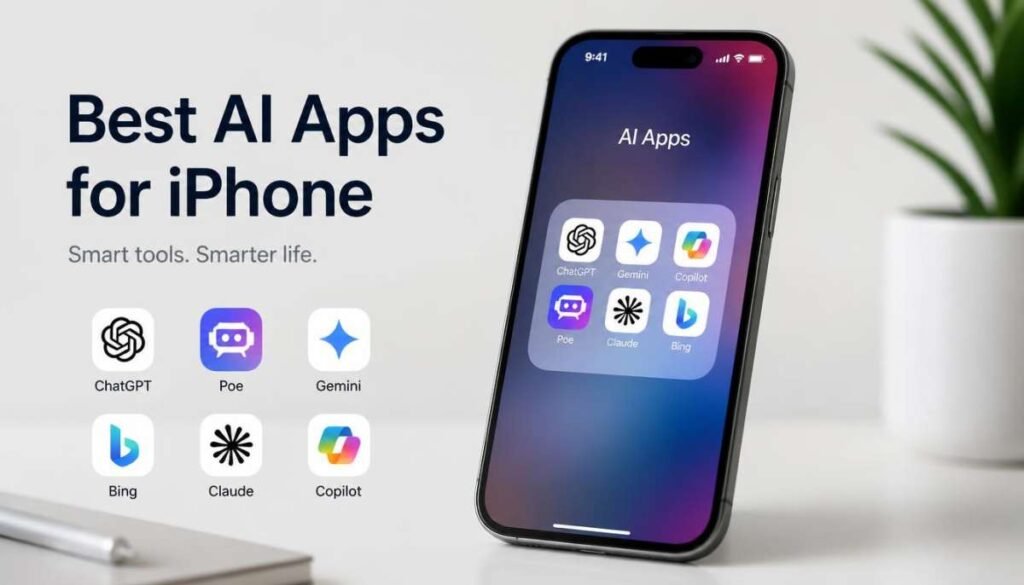
The Best AI Apps for iPhone at a Glance

There is no single AI app that wins every category. One may be better for writing, another for research, while a third makes more sense if you already use Google or Microsoft services every day.

AI AppBest ForWhat Makes It Stand OutFree Option
ChatGPTOverall useVersatile AI, voice, images, writing, researchYes
ClaudeWritingStrong editing, reasoning, and document workYes
GeminiGoogle usersGoogle ecosystem and multimodal featuresYes
PerplexityResearchSearch-focused answers and source discoveryYes
Microsoft CopilotMicrosoft usersMicrosoft-focused productivityYes
Apple IntelligenceBuilt-in iPhone AISystem-level Apple integrationIncluded on supported devices

The best choice depends on how you use your phone. Someone who writes every day may have a completely different favorite from someone who mainly researches products, studies, or manages work documents.

1. ChatGPT Best Overall AI App for iPhone
For people who want one AI app that can handle many different jobs, ChatGPT is one of the easiest places to start. It can move from answering a quick question to helping with writing, brainstorming, images, voice conversations, and more without needing a separate tool for each task.

That flexibility is especially useful on an iPhone because you can use it whenever an idea or problem comes up instead of waiting until you are back at a computer.

Why ChatGPT Stands Out on iPhone

The biggest advantage is versatility. You can ask it to rewrite an email, explain a difficult topic, brainstorm content ideas, analyze an image, help plan something, or talk through a problem.

Voice interaction also makes it more practical on a phone. Instead of stopping to type a long prompt, you can simply speak naturally and continue the conversation.

Image input is another useful part of the mobile experience. You can show an AI something through a photo instead of trying to describe every detail yourself.

Who Should Choose ChatGPT?

ChatGPT is a strong choice if you want one general-purpose AI assistant rather than a collection of specialized apps.

It suits students, writers, creators, professionals, business owners, and everyday iPhone users who want an AI tool that can adapt to different situations.

2. Claude Best AI App for Writing and Documents
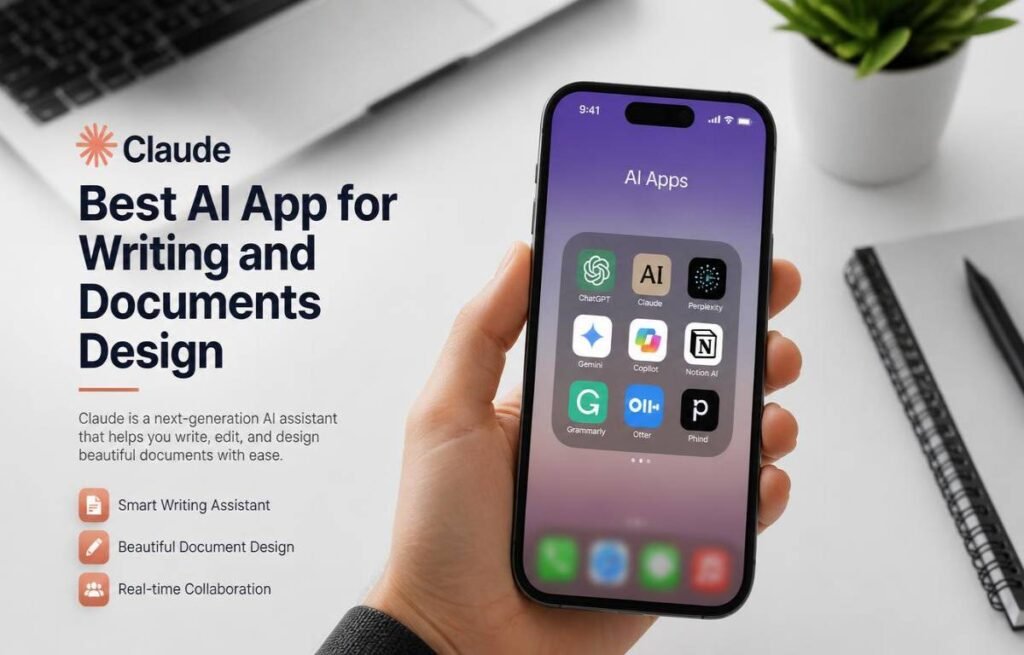
Claude is especially appealing to people who spend a lot of time working with words. If your main AI tasks involve writing, editing, summarizing, brainstorming, or understanding lengthy documents, Claude deserves a place on your shortlist.

It has a particularly useful role for people who want AI to improve their work rather than simply generate something and move on.

What Claude Does Particularly Well

Claude can be useful for polishing articles, rewriting awkward paragraphs, organizing ideas, summarizing documents, and working through complicated written material.

It is also helpful when you want to give an AI a large amount of information and then ask questions about it. That can make it useful for reports, notes, research material, and other documents.

For writers, the difference often comes down to the quality of the editing process. Instead of asking for a completely new piece, you can provide your own draft and ask for clearer structure, smoother wording, or a particular tone.

When Claude Is a Better Choice Than ChatGPT

Claude can make more sense when writing and document work are your main priorities.

If you want an AI that covers a broader range of everyday tasks, images, voice, and general assistance, ChatGPT may be more convenient. If your workflow is heavily focused on text, documents, and careful editing, Claude is worth trying.

3. Google Gemini Best for Google Users
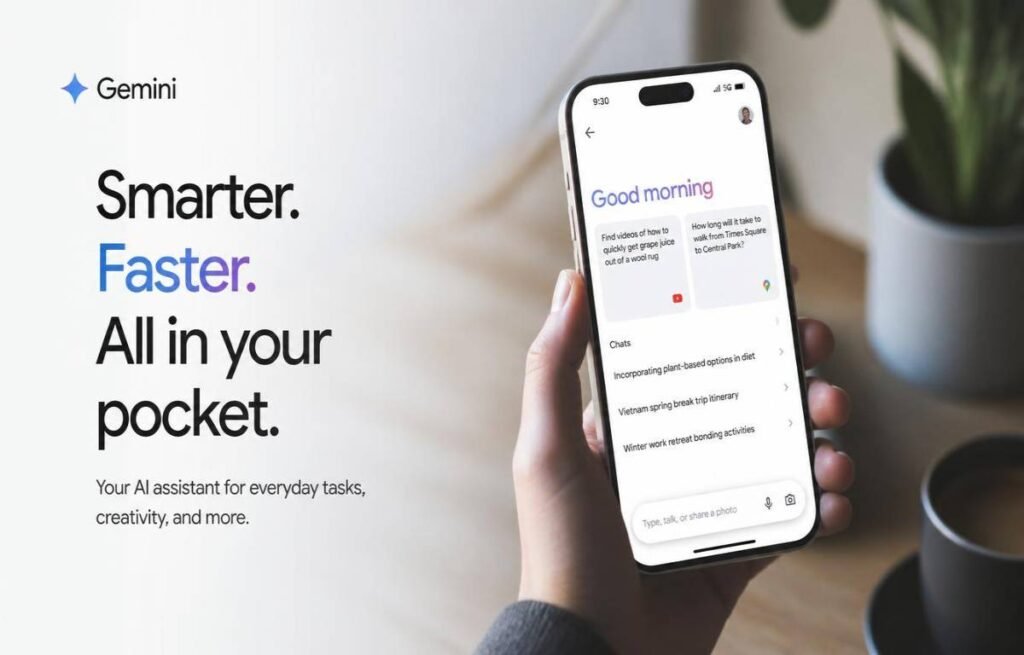
Gemini becomes particularly useful when your digital life already revolves around Google. Instead of treating AI as a completely separate service, it can fit naturally into workflows involving Google’s wider collection of products.

That makes it an especially interesting option for people who already use Gmail, Google Drive, Docs, Maps, YouTube, and other Google services regularly.

Gemini’s Biggest iPhone Advantage

Gemini can handle text, images, voice, and other forms of information from your iPhone. That makes it useful for everything from brainstorming and studying to asking questions about something you photograph.

Its biggest advantage, however, is the Google ecosystem. People who already keep their work, emails, documents, travel information, and other digital activity inside Google may find Gemini more convenient than a standalone AI assistant.

Who Gets the Most From Gemini?

Gemini is a natural choice for heavy Google users.

If your day starts with Gmail, moves into Google Docs, involves Drive files, and ends with YouTube or Maps, having an AI assistant that fits into that environment can be more useful than choosing an app simply because it has a popular chatbot.

4. Perplexity Best AI App for Research

Perplexity is designed around a different idea: use AI to find and explore information.

That makes it especially useful when you do not just want an answer but also want to investigate a subject, compare information, discover sources, and continue asking questions as your research develops.

Why Perplexity Is Useful for Research

Instead of starting with multiple browser tabs, you can begin with a question and use follow-up prompts to narrow the subject.

For example, you could start by asking about a destination, then ask about the best neighborhoods, travel costs, local attractions, and things to avoid. The conversation becomes a research trail rather than a series of disconnected searches.

This makes Perplexity particularly useful for students, researchers, writers, shoppers, travelers, and professionals.

When to Pick Perplexity

Choose Perplexity when research is the main reason you want an AI app.

It is not necessarily the first choice for every creative task. If you mainly want to write stories, brainstorm ideas, have casual conversations, or create content, another assistant may suit you better.

5. Microsoft Copilot Best for Microsoft Users

Microsoft Copilot is most useful when your work already depends heavily on Microsoft’s ecosystem. For people using Word, Excel, PowerPoint, Outlook, and Microsoft 365 services, having an AI assistant connected to that environment can make more sense than using a completely separate platform.

What Makes Copilot Useful on iPhone?

Copilot can help with everyday AI tasks such as writing, brainstorming, summarizing, explaining information, and generating ideas.

Its bigger advantage comes from its relationship with Microsoft’s productivity tools. Depending on your account and plan, its capabilities can extend into the Microsoft 365 environment, making it more relevant for people who already work there.

The iPhone app is also useful when you need quick access to an AI assistant while away from your computer.

Who Should Install Copilot?

Copilot is a good fit for Microsoft-heavy workflows.

If your job or studies already involve Microsoft 365 every day, it is worth testing. If you rarely touch Microsoft’s ecosystem, another AI app may offer more practical value.

6. Apple Intelligence Best Built-In AI Option
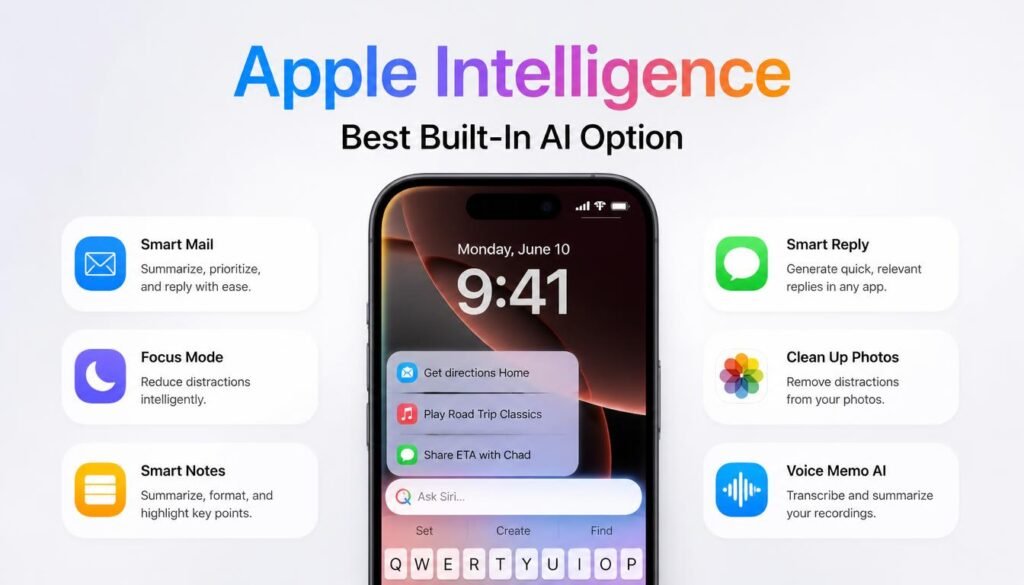
Apple Intelligence is different from the other choices because it is not simply another chatbot you download from the App Store. It is built into supported Apple devices and works across parts of the iPhone experience.

That means some users may not need another AI app for certain everyday tasks at all.

What Apple Intelligence Can Do

Apple Intelligence can assist with writing, rewriting, summarizing, image-related tasks, visual understanding, and other everyday activities across supported Apple features.

The newer Siri experience also moves beyond traditional voice commands. Apple’s current AI direction is designed to make Siri more conversational and more capable of understanding what you are doing on the device.

That built-in approach can be convenient because you do not always need to copy information from one app into another.

Which iPhones Support It?

Apple Intelligence is available on newer supported iPhones rather than older models. Current compatibility includes iPhone 15 Pro and iPhone 15 Pro Max, iPhone 16 models and later supported generations.

Availability can also depend on software version, language, and region. So if Apple Intelligence is important to you, check your specific iPhone and current iOS version before assuming every feature will be available.

Choosing the Right AI App for Your iPhone

You do not need six AI assistants competing for space on your home screen. Start with what you actually need, then choose the app that fits that task best.

Choose ChatGPT if you want an all-purpose AI assistant that can handle many different jobs.

Choose Claude if writing, editing, and document work are your main priorities.

Choose Gemini if you already depend heavily on Google services.

Choose Perplexity if research and finding information are your biggest reasons for using AI.

Choose Copilot if most of your work happens inside Microsoft products.

Choose Apple Intelligence if you have a compatible iPhone and want AI integrated directly into the Apple experience.

You can also use more than one. There is nothing wrong with using Perplexity for research and ChatGPT for writing, for example, if that combination genuinely saves you time.

Are AI Apps on iPhone Free?
Most of the major AI apps offer some type of free access, but free does not necessarily mean unlimited. Advanced models, larger usage limits, image creation, research tools, file handling, and other features may be restricted depending on the service.

For occasional use, a free plan may be perfectly adequate. If you use AI several times a day for work or study, you may eventually find the limits restrictive.

It is also worth checking what you are actually getting before paying for a subscription. AI services change their features and plans frequently, so an old pricing comparison can become outdated surprisingly quickly.

Apple Intelligence works differently because supported features are part of the Apple software experience on compatible devices. You do not need to buy a separate chatbot subscription simply to access Apple’s built-in AI features.

What to Look for Before Installing an AI App
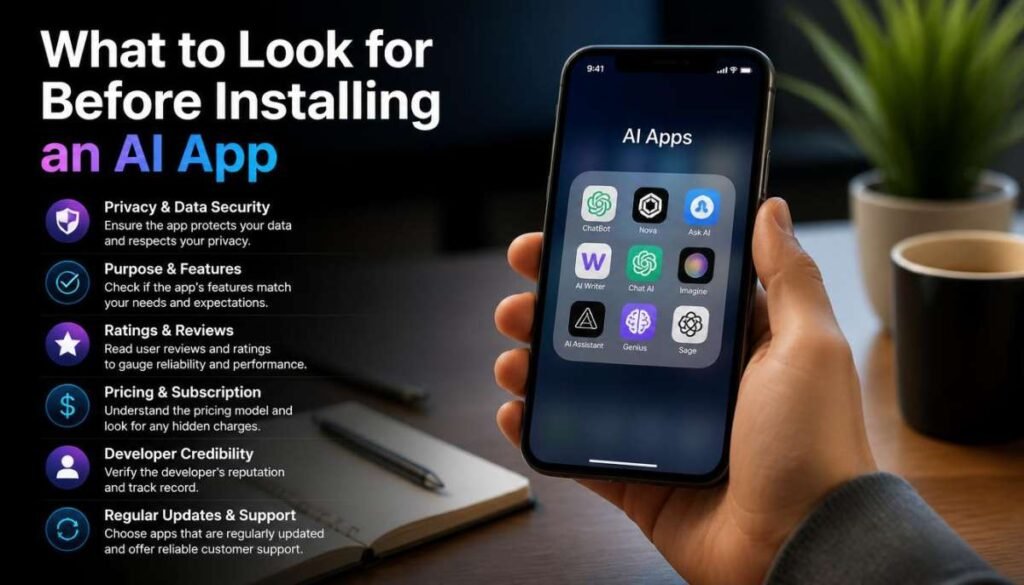
Choosing an AI app is not only about which one has the smartest model. On an iPhone, the way the app fits into your daily routine matters just as much.

Privacy

Think carefully before giving an AI app access to personal documents, photos, emails, or other sensitive information. Check its privacy settings and understand what information you are allowing it to access.

Voice Experience

If you want to talk to your AI instead of typing, look for an app with a voice experience that feels natural. This can make a major difference when using AI while walking around or multitasking.

Image and Camera Features

The iPhone is already a powerful camera device, so image-based AI can be extremely useful. Look for apps that let you upload or analyze images when that is relevant to your needs.

File Support

If you work with PDFs, presentations, spreadsheets, or other documents, check whether the app supports the file types you actually use.

Ecosystem Integration

Think about where your existing information lives. Google users may naturally lean toward Gemini, Microsoft users toward Copilot, while compatible iPhone owners may get substantial value from Apple Intelligence.

Free Usage Limits

A free plan is useful only if it gives you enough access to complete your normal tasks. Before subscribing, use the free version for a while and see whether you actually hit its limits.

Official Publisher

Always check the developer name before downloading an AI app. Popular AI brands can attract unofficial or misleading apps, so make sure you are installing the legitimate application.

Frequently Asked Questions About AI Apps for iPhone

What is the best AI app for iPhone?

ChatGPT is one of the strongest all-around choices because it can handle writing, questions, brainstorming, images, voice, and many everyday tasks. However, the best option depends on what you want the app to do.

Which AI app is best for free use?

There is no permanent winner because free limits and features change. ChatGPT, Claude, Gemini, Perplexity, and Copilot all offer ways to use their services without immediately paying, while Apple Intelligence is built into supported Apple devices.

Is ChatGPT better than Gemini on iPhone?

It depends on your workflow. ChatGPT is a strong general-purpose assistant, while Gemini can be particularly attractive to people who already use Google’s ecosystem extensively.

What is the best AI app for research?

Perplexity is a strong option for research because its experience is built around searching, exploring information, and following sources. ChatGPT and Gemini can also be useful for research depending on the type of work you are doing.

Does iPhone already have AI built in?

Yes. Supported iPhones have Apple Intelligence integrated into the operating system. The available features depend on your iPhone model, software version, language, and region.

The Best AI App Depends on How You Use Your iPhone

The biggest mistake is choosing an AI app simply because everyone else is talking about it. Your best option may be completely different from someone else’s.

For an all-purpose assistant, ChatGPT is a strong starting point. Writers may prefer Claude, Google users can get more value from Gemini, and people who spend their time researching will likely appreciate Perplexity. Copilot makes the most sense for Microsoft-focused workflows, while Apple Intelligence is worth exploring first if your iPhone supports it.

The smartest approach in 2026 is not to collect every AI app. Choose the one that fits your workflow, test its free features, and keep only the tools that genuinely make your iPhone more useful.


September 14, 2026 0 comments
0 FacebookTwitterPinterestEmail
Technology

Best AI for Business: Top Tools for Smarter Work

by Finn Cole September 12, 2026
written by Finn Cole

AI has quickly become part of everyday business, from writing emails and researching markets to creating presentations and automating repetitive tasks. But with so many tools available, finding the best AI for business can feel like trying to choose one app from a very crowded toolbox.

The right choice depends on what your business actually needs. Some AI tools are excellent for writing and brainstorming, while others are better for research, customer support, data analysis, or automation. Here are the options worth considering when you want to save time and get more done.

ChatGPT for Everyday Business Tasks

A Flexible AI Assistant

ChatGPT is a strong all-around choice for businesses that need help with writing, brainstorming, planning, coding, research, and everyday problem-solving. It can also be adapted to different workflows instead of being limited to one specific task.

Where It Fits Best

Use it for creating marketing ideas, drafting emails, summarizing information, developing content, preparing plans, or working through business questions. It is especially useful when one team needs an AI tool that can handle many different jobs.

Claude for Documents and Detailed Work

Handling Large Amounts of Information

Claude is particularly useful when your work involves lengthy documents, detailed instructions, or complex written material. It can help teams review information without manually working through every section.

Useful for Technical Teams

Developers and technical teams can also use Claude for coding, debugging, explaining technical concepts, and reviewing written material. Its strength is often most noticeable when the task requires careful reasoning and detailed responses.

Also Read : Best Tech Companies to Work for Beginners: A Beginner-Friendly Guide

Perplexity for Business Research

Quick Research With Sources

Perplexity combines AI responses with web search, making it useful when you need to investigate a topic quickly. It can help with competitor research, industry questions, market trends, and gathering information from multiple sources.

When Research Speed Matters

Instead of opening dozens of search results, you can use a focused question to get an initial overview and then check the cited sources yourself. This makes it handy during early-stage research and planning.

Microsoft Copilot and Gemini for Team Productivity

AI Inside Familiar Workspaces

Microsoft Copilot can be a natural fit for businesses already working heavily with Microsoft products, while Google Gemini makes sense for teams built around Google Workspace.

Making Routine Work Easier

These assistants can help with tasks such as drafting documents, summarizing information, organizing ideas, and working with content inside familiar productivity environments. The biggest advantage is keeping AI close to the tools employees already use.

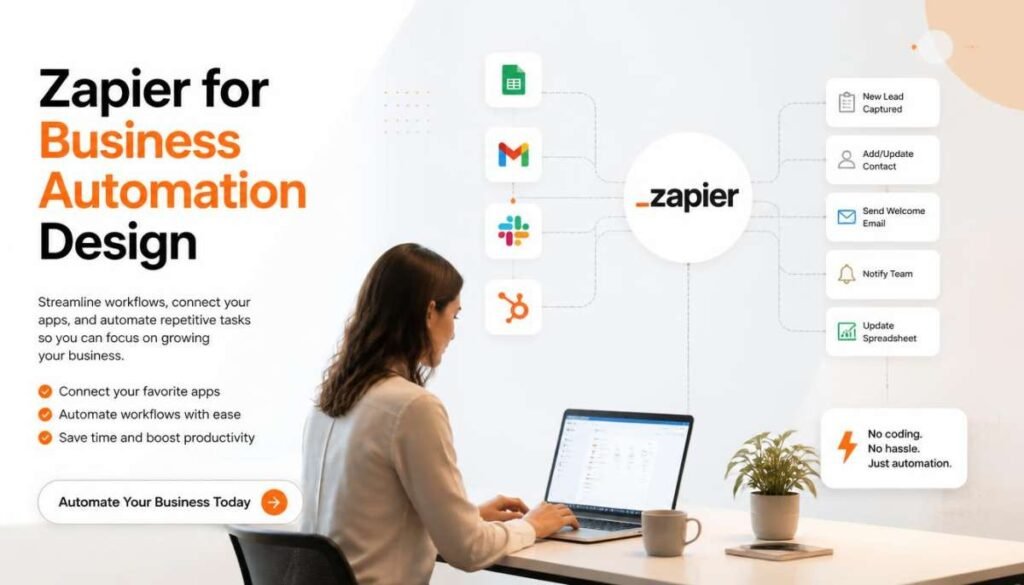
Zapier for Business Automation

Connecting Your Favorite Apps

Zapier is useful when the goal is less about chatting with AI and more about making business processes happen automatically. It connects different apps so that one action can trigger another.

Cutting Down Repetitive Tasks

For example, a new form submission could trigger a notification, create a task, update a spreadsheet, and send an email. Automating small jobs like these can save considerable time when they happen every day.

Gamma for Presentations and Business Content

Turning Ideas Into Visual Material

Gamma can help transform rough ideas into presentations, documents, and other visual business content. It is useful when you need something polished without spending hours designing every slide from scratch.

Helpful for Small Teams

Small businesses and busy teams can use tools like Gamma to create proposals, presentations, reports, and internal materials faster. You can then edit the generated content to match your brand and message.

How to Choose the Best AI for Business

Start With the Problem

Don’t choose an AI tool simply because it is popular. First decide what you want it to accomplish. Writing, research, automation, presentations, customer service, and data analysis can require very different tools.

Consider Your Existing Software

Your current business ecosystem also matters. A company already using Microsoft 365 might benefit more from Copilot, while a Google Workspace-based team could find Gemini easier to integrate into its routine.

Check Accuracy and Human Oversight

AI can produce useful work, but important business decisions should not be left entirely to an AI system. Review factual claims, financial information, customer-facing material, and sensitive content before using it.

Finding the Right AI Fit for Your Business

The best AI for business isn’t necessarily one specific tool. ChatGPT can work well as a versatile assistant, Claude is useful for detailed documents and technical work, Perplexity supports research, Zapier handles automation, and Copilot, Gemini, and Gamma can strengthen everyday productivity.

Start with one recurring business problem and choose the tool that solves it well. Once that workflow works reliably, you can gradually add other AI tools where they genuinely save time.

FAQs About the Best AI for Business

What is the best AI for business overall?

ChatGPT is a strong general-purpose option for writing, brainstorming, research, coding, and business planning.

Which AI is best for business research?

Perplexity is a useful choice for fast research because it combines AI answers with web sources.

Which AI is best for business automation?

Zapier is a popular option for connecting apps and automating repetitive workflows.

Is AI useful for small businesses?

Yes. AI can help small businesses with content, customer communication, research, planning, presentations, and repetitive administrative work.

How should a business choose an AI tool?

Start with the task you want to improve, then compare the tool’s features, integrations, cost, privacy options, and ease of use.

September 12, 2026 0 comments
0 FacebookTwitterPinterestEmail
Best Tech Companies to Work for Beginners A Beginner-Friendly Guide - Best Tech Companies to Work for Beginners
Technology

Best Tech Companies to Work for Beginners: A Beginner-Friendly Guide

by Finn Cole September 11, 2026
written by Finn Cole

Starting a tech career can feel overwhelming. There are countless companies, job titles, certifications, and skills to choose from, and it is not always obvious where a beginner should start.

The good news is that you do not need to know everything before applying for your first tech job. Some companies offer training, early-career programs, certifications, apprenticeships, or entry-level roles that can help newcomers build practical experience.

This guide explores some of the best tech companies to work for beginners, along with beginner-friendly roles and the skills worth developing first.

What Makes a Tech Company Beginner-Friendly?

A company can be a good starting point when it gives newcomers realistic opportunities to learn while working. Look beyond the company name and consider what it actually offers to people at the beginning of their careers.

Training and Learning Opportunities

Companies with structured training can make the transition into tech easier. Learning programs, certifications, mentorship, and internal resources can help beginners develop skills without feeling like they have to figure everything out alone.

Entry-Level and Early-Career Roles

Look for companies that regularly hire for positions such as IT support, junior development, data analysis, customer technology support, and other entry-level roles.

The availability of these positions can vary by location and hiring cycle, so always check current openings before deciding where to apply.

Google: A Strong Starting Point for Tech Careers

Google is one of the most recognizable names in technology, but beginners should look beyond its reputation and examine its early-career opportunities.

The company and its wider ecosystem provide learning resources and pathways that can help people develop technical skills. Depending on the role, beginners can explore areas such as IT, software, data, cloud, and digital marketing.

What Beginners Can Focus On

You do not need to master every technology before starting. Build a small set of relevant skills for the role you want and create projects that demonstrate what you can actually do.

For example, someone interested in development could build a few simple websites, while an aspiring data analyst could create dashboards and practice SQL.

Microsoft: Training, Certifications, and Early-Career Paths

Microsoft can be another attractive option for people starting a technology career. Its broad range of products and professional certifications gives beginners several directions to explore.

Cloud computing, IT support, cybersecurity, software development, and business technology are among the areas worth investigating.

Why Microsoft Can Appeal to Beginners

Certifications can help beginners demonstrate knowledge when they do not yet have years of professional experience.

The important thing is to choose certifications that match a specific career goal rather than collecting certificates without building practical skills alongside them.

IBM: A Practical Route Into Technology

IBM has a long history in enterprise technology and offers opportunities across areas such as cloud computing, artificial intelligence, data, cybersecurity, and IT.

For beginners, its educational resources and professional certificate pathways can provide a structured way to build foundational knowledge.

Skills Worth Building First

A beginner interested in IBM or similar technology companies can start with fundamentals such as:

  • Basic programming
  • Data analysis
  • Cloud concepts
  • IT support
  • Cybersecurity fundamentals
  • Problem-solving

You do not need all of these. Pick the area that matches the type of work you want to pursue.

Salesforce: A Beginner-Friendly Cloud Direction

Salesforce is particularly interesting for beginners who want to enter technology without immediately focusing on traditional software development.

Its Trailhead learning platform provides guided learning around Salesforce products, CRM concepts, administration, and other technology skills.

Who Might Enjoy This Path?

If you like technology but are more interested in business systems, customer relationships, automation, or cloud platforms, Salesforce can be worth exploring.

A beginner can start by learning the platform, completing practical exercises, and gradually building toward relevant certifications and job opportunities.

Cognizant: Entry-Level Opportunities in IT Services

Cognizant is a large IT services company with roles spanning technology consulting, software development, data, cloud, and other digital services.

IT services companies can be worth considering when you are looking for your first professional experience because they often recruit graduates and early-career candidates for a variety of technology roles.

What Beginners Should Look For

Do not apply simply because a company hires beginners. Check the individual job description carefully.

Look for positions that clearly state their experience requirements and explain the training, technology stack, responsibilities, or development opportunities involved.

Best Beginner-Friendly Tech Roles to Consider

Choosing the right role can be just as important as choosing the company. You do not necessarily need to begin with software engineering to build a successful technology career.

IT Support and Help Desk

IT support can be a practical entry point for people who enjoy troubleshooting computers, software, networks, and user problems.

You can build experience with operating systems, hardware, networking basics, ticketing systems, and technical communication.

Front-End Web Development

If you enjoy building websites, front-end development can be an appealing starting point.

Begin with HTML, CSS, and JavaScript. Once you are comfortable with the fundamentals, create several real projects that you can show employers.

Junior Data Analyst

Data analysis can be a good option for people who enjoy numbers, patterns, and problem-solving.

Start with spreadsheets, SQL, basic statistics, and a visualization tool. Then create projects using real or publicly available datasets to demonstrate your skills.

Cloud and Technical Support

Cloud technology has created many different career paths. Beginners can start by learning basic cloud concepts and gradually develop skills around specific platforms.

Technical support can also provide useful experience before moving into more specialized cloud positions.

How to Get Your First Tech Job Without Years of Experience

The biggest beginner mistake is waiting until you feel completely qualified.

Instead, focus on showing employers evidence of what you can do.

Build a Small Portfolio

Three strong projects can be more useful than a long list of unfinished tutorials.

Choose projects related to the job you want. A beginner web developer could create a responsive website, while a future data analyst could build a dashboard and explain the insights.

Match Your Resume to the Job

Read the job description carefully and identify the skills it repeatedly mentions.

Then make sure your resume clearly shows relevant projects, education, certifications, tools, and practical experience.

Apply While You Learn

You do not have to wait until you know every requirement listed in a job description.

If you understand the core responsibilities and meet many of the important requirements, consider applying while continuing to improve your weaker areas.

Your First Step Into Tech

Finding the best tech companies to work for beginners is only part of the process. The better strategy is to choose a career direction first, build the skills that direction requires, and then target companies offering realistic entry-level opportunities.

Google, Microsoft, IBM, Salesforce, and Cognizant can all be worth researching, but your ideal first employer will depend on your skills, location, education, and preferred technology field.

Start small, build practical experience, and keep improving. Your first tech job does not need to be your dream position—it needs to give you a solid place to learn, contribute, and grow.

FAQs

1. What are the best tech companies to work for beginners in 2026?

Google, Microsoft, IBM, Amazon, and other major tech companies offer entry-level jobs, internships, apprenticeships, and training opportunities.

2. What entry-level tech jobs can beginners apply for?

Beginners can explore roles such as IT support specialist, junior web developer, data analyst, QA tester, technical support specialist, and cybersecurity analyst.

3. What skills do I need for my first tech job?

Basic technical knowledge, problem-solving, communication, teamwork, and skills related to your chosen role can help you qualify for entry-level positions.

4. Can I get a tech job without a computer science degree?

Yes. Many tech roles can be started through certifications, online courses, apprenticeships, portfolios, and practical experience instead of a traditional degree.

5. How can I land my first tech job in 2026?

Build relevant skills, create a strong resume and portfolio, complete beginner-friendly training, apply for entry-level roles, and prepare well for technical and behavioral interviews.

September 11, 2026 0 comments
0 FacebookTwitterPinterestEmail
Best Noise Cancelling Headphones for Work
Technology

Best Noise Cancelling Headphones for Work in 2026

by Finn Cole September 10, 2026
written by Finn Cole

If you’ve ever tried to focus in an open office with someone’s keyboard clacking three feet away, you already know why noise cancelling headphones have become a work essential rather than a luxury. A good pair can turn a chaotic office, a busy coffee shop, or even a noisy home into something close to a quiet study room.

The tricky part is that noise cancelling means very different things depending on the pair you buy. Some excel at blocking low, constant hums like air conditioning. Others are built more around clear calls than pure silence. This guide breaks down what actually matters for work use and which headphones fit different needs and budgets.

What to Look for in Work Headphones

What to Look for in Work Headphones

Active noise cancelling works by using built-in microphones to detect ambient sound and generate an opposite sound wave that cancels it out. It’s especially effective against steady, low frequency noise like HVAC systems, plane engines, or general office hum. Sudden noises, like a door slamming or dishes clattering, are harder for ANC to catch in time, so don’t expect total silence no matter how good the headphones are.

Passive isolation matters just as much, even if it gets less attention. This simply comes down to physical fit, how well the ear cups seal around your ears or how snugly earbud tips sit in your ear canal. Good passive isolation blocks a lot of noise before active noise cancelling even kicks in, so a poor fit can undercut even the best ANC technology.

Microphone quality is easy to overlook until you’re on a bad call. If your job involves regular video calls or meetings, a headset with a strong built-in mic makes a real difference in how clearly you come across, especially if you’re working somewhere less than perfectly quiet.

Battery life and comfort round out the essentials. A full workday is usually seven to nine hours, so you want headphones that can comfortably outlast that without needing a mid-afternoon charge, along with a design that doesn’t leave your ears sore by hour four.

Best Overall Pick

Best Overall Pick

For most office workers, a flagship ANC headphone from a brand like Sony or Bose tends to hit the best balance of strong noise cancelling, solid call quality, and long battery life. These flagship models are generally rated for well over 30 hours of use with ANC turned on, which comfortably covers a full work week of daily use without constant charging.

They also tend to include companion apps that let you fine tune how much ambient sound comes through, which is useful if you want to stay slightly aware of your surroundings without fully cutting yourself off from coworkers.

Best Budget Pick

You don’t need to spend flagship prices to get genuinely useful noise cancelling for office use. Mid range options from brands like Anker’s Soundcore line or JBL often deliver surprisingly capable ANC performance at a fraction of the cost of premium models.

These budget friendly picks won’t quite match the noise cancelling depth of top tier headphones, but for typical office background noise, most people find the difference far less noticeable than the price gap would suggest.

Best for Video Calls

Best for Video Calls

If your work is call heavy, it’s worth prioritizing a headset with a clear, noise rejecting microphone over raw ANC performance. Gaming style headsets with a boom mic, like Alienware’s wireless headset line, are worth a look here even outside of gaming, since a physical boom mic generally captures voice more cleanly than the built-in mics on standard headphones.

Some premium headphones also now include AI enhanced voice isolation for the microphone specifically, which helps filter out background chatter or noise so the person on the other end of the call hears you clearly, even in a shared space.

Best for All-Day Comfort

If you’re wearing headphones for most of your workday, comfort deserves just as much weight as sound quality. It helps to look for plush, well padded ear cups, a lightweight build, and a headband that distributes pressure evenly rather than clamping down on the sides of your head.

Brands like Sennheiser and Bose have generally built a reputation around long session comfort, often thanks to memory foam padding and a slightly looser clamping force compared to some competitors. If you already wear glasses, this is worth testing in person if possible, since ear cup pressure against glasses arms can get uncomfortable fast over a full day.

Office Etiquette Tips for Wearing Headphones at Work

Office Etiquette Tips for Wearing Headphones at Work

Wearing headphones at work is widely accepted these days, but a little awareness goes a long way, especially in shared or open office spaces.

Using transparency or passthrough mode during casual conversations is usually better than removing your headphones entirely every time someone stops by your desk. Most modern ANC headphones include this feature, letting ambient sound in without breaking your whole setup.

Keeping call volume in check matters more than people realize. It’s easy to talk louder than you think while wearing over-ear headphones, especially with ANC blocking out your own voice feedback, so a quick mental check now and then helps you avoid becoming the loud voice across the office.

Signaling your focus time visibly can also help. Many people use headphones as a quiet, non-verbal cue that they’re in deep focus mode, and if your workplace culture supports it, this can actually cut down on interruptions more effectively than a closed office door would.

FAQs

Do noise cancelling headphones work for open office noise?

Yes, ANC is particularly effective against steady background noise like HVAC hum, general chatter at a distance, and office equipment. However, sudden sharp noises are harder for any ANC system to fully cancel.

Are wireless or wired headphones better for work?

Wireless headphones are generally more convenient for daily office use because they avoid cable clutter and allow you to move around your desk. Many models also support wired USB-C listening as a backup when the battery runs low.

Can I use noise cancelling headphones during video calls?

Yes, most modern ANC headphones include built-in microphones suited for calls. However, dedicated headsets with a boom mic tend to offer clearer voice pickup if calls are a major part of your workday.

If you’re building out your full work from home tech setup, check out more of our technology guides and reviews for recommendations on everything from monitors to ergonomic accessories that pair well with a solid pair of headphones.

The right noise cancelling headphones really come down to how you work day to day. If calls dominate your schedule, prioritize the microphone. If it’s pure focus you’re after, lean into ANC strength. Either way, a good pair pays for itself the first time your office gets loud and you barely notice.

September 10, 2026 0 comments
0 FacebookTwitterPinterestEmail
Best Productivity Apps 2026 What Actually Sticks - Best Productivity Apps 2026
Technology

Best Productivity Apps 2026: What Actually Sticks

by Finn Cole September 9, 2026
written by Finn Cole

I’ve deleted more productivity apps than I’ve kept. That’s not a knock on the apps, most of them were fine, it’s just that a productivity app only earns its spot if you’re still opening it a month later, and almost none of them survive that test. The best productivity apps for 2026 aren’t the ones with the longest feature list, they’re the ones built around a specific job you actually have.

So instead of another 30-app dump, here’s what I’d actually recommend for each job a stack needs to cover, and why the just download everything approach is usually what kills the habit in the first place.

Why Most Productivity App Lists Don’t Help

Most roundups treat productivity apps like one giant category, then cram in a dozen desktop tools you’ll never open from your phone. The problem isn’t a lack of options, it’s that nobody tells you which job each app is actually solving.

Think in Jobs, Not a Master List

A real stack covers five jobs: capturing tasks, holding notes, protecting focus, scheduling time, and building habits. You don’t need nine apps, you need one solid pick per job you actually have, and skipping a job you don’t have is just as important as filling the ones you do.

Best Task Management Apps: Todoist and TickTick

Task apps exist to get commitments out of your head before you forget them, which sounds simple until you actually try to build the habit of using one consistently.

Todoist: Fast Capture Without the Learning Curve

Typing pay rent every 1st and having it auto-set a recurring due date is the kind of small detail that decides whether an app survives your first busy week. The free tier covers five active projects, which is genuinely enough for most personal use, and I’ve found it’s the app I recommend to people who’ve bounced off something heavier before.

TickTick: One App Instead of Four

TickTick bundles a task list, a calendar view, a basic habit checklist, and a Pomodoro timer into one interface. If the idea of managing four separate apps already sounds exhausting, this is the consolidation play, though a few features do sit behind a paid tier.

Also Read : Emerging Trends: 10 Technologies Shaping the Future in 2026

Best Note-Taking and Workspace Apps: Notion and Obsidian

Notes are where half-formed ideas live before they turn into anything else, and the two strongest mobile options solve this in opposite ways.

Notion: Structure for People Who Like Structure

Notion turns notes into databases, trackers, and reusable templates, and it’s genuinely useful once you’ve set it up the way you think. The honest caveat: it’s flexible enough that some people spend more time decorating their workspace than actually working in it. If that sounds familiar, that’s a sign to simplify, not to add another Notion template.

Obsidian: Private, Local, and Yours

Obsidian stores everything as plain markdown files directly on your device, no account required for the core app. For anyone who’s ever lost work when a service shut down or changed its pricing, that local-first approach is worth the slightly steeper setup.

Best Focus and Distraction Tools

A task list tells you what to do. Neither one stops you from checking your phone every six minutes, which is closer to the real average than most people would guess.

Forest: Gamified Accountability

Forest plants a virtual tree that dies if you leave the app mid-session, which sounds gimmicky until you notice you’ve stopped reaching for your phone out of habit just to avoid killing the tree. It’s paid on iOS and free on Android, worth checking before you commit.

A Plain Pomodoro Timer

If gamification isn’t your thing, a straightforward 25-minutes-on, 5-minutes-off timer does the same underlying job without any extra layer. The method matters more than the specific app here, almost any Pomodoro timer will do.

Best Scheduling and Time-Blocking Apps

A task list tells you what needs doing. A calendar tells you when it’s actually going to happen, and that second part is where most good intentions quietly fall apart.

Google Calendar: The Default for a Reason

It’s free, it syncs across every device without friction, and for most people, manually blocking tasks onto it is genuinely enough. There’s a real psychological reason time-blocking works better than an open-ended list too, deciding in advance exactly when and where you’ll do something makes you dramatically more likely to actually follow through compared to a vague plan to do it “sometime today.”

Sunsama: Guided, Mindful Planning

Sunsama walks you through a structured daily planning session rather than leaving you to build your own system from scratch. It’s aimed at avoiding burnout specifically, which shows in the pacing, but it comes at a noticeably higher monthly price than the free options on this list.

Automation for the Apps You Already Use

Once a stack has more than two or three tools in it, keeping them in sync manually becomes its own chore.

Zapier: Connecting the Pieces

Zapier links separate apps together so information moves between them without you copying and pasting, a new task creates a calendar event, a form submission adds a row to a spreadsheet. It’s not something everyone needs on day one, but once your stack grows past two apps, it starts paying for itself.

Quick Reference: Which App Covers Which Job

JobBest PickWhy
Task captureTodoistFast, natural-language due dates
All-in-one tasksTickTickTasks, calendar, habits, timer in one app
Flexible notesNotionDatabases, templates, structure
Private notesObsidianLocal markdown, no account needed
Distraction-blockingForestGamified, visual accountability
SchedulingGoogle CalendarFree, syncs everywhere
Guided daily planningSunsamaStructured, burnout-aware
Cross-app automationZapierConnects tools once the stack grows

How to Actually Build a Stack That Sticks

Picking apps is the easy part. Making the stack survive past week two is the actual work.

Start With the Job, Not the App Store

Write down the two or three things you genuinely struggle with, forgetting tasks, losing focus, showing up late to your own plans, and pick tools for those specifically rather than downloading whatever’s trending.

Give Each Pick Two Weeks Before Judging It

Installing three task managers to “compare” almost guarantees you use none of them properly. Commit to one option per job for two full weeks before deciding whether it’s actually working.

Common Mistakes That Sink a Productivity Stack

A few patterns show up again and again in stacks that don’t survive the month.

Collecting more apps than jobs is the most common one, nine overlapping tools create more overhead than output, and most people genuinely only need three or four to cover tasks, calendar, focus, and notes. Over-customizing a flexible app like Notion is another, time spent building the perfect template is time not spent doing the actual work. And treating an app switch as a fresh start rather than fixing the underlying habit just moves the same problem into a new interface.

The Best Productivity Apps for 2026 Are the Ones You Still Open in March

Every one of these apps works. That was never really the question. The real test is whether you’re still opening it a few months from now, past the point where trying something new feels exciting on its own. Pick one solid app per job you actually have, give it two honest weeks, and resist the urge to add a ninth tool before the first three have earned their place. That’s really the whole strategy.

FAQ Section

What is the best free productivity app in 2026?

It depends on the job. Todoist’s free tier covers five active projects with no time limit, and both Notion’s personal plan and Obsidian’s core app are free for note-taking, so a complete free stack is genuinely possible.

Do I need more than one productivity app?

Usually three or four, not nine. A task manager, a calendar, a focus tool, and possibly a notes app cover most people’s actual needs, and collecting more than that tends to create overhead rather than results.

What’s the difference between Notion and Obsidian?

Notion is a flexible, cloud-based workspace best for structure and sharing, while Obsidian stores notes locally as private markdown files, better suited to anyone who prioritizes privacy and ownership over collaboration features.

Is Todoist or TickTick better for task management?

Todoist is the faster, simpler option for quick task capture, while TickTick bundles tasks, a calendar, and a timer into one app if you’d rather avoid juggling separate tools.

How long does it take for a new productivity app to become a real habit?

Research on habit formation suggests new habits take roughly two months on average to become automatic, not the often-cited three weeks, so give any new app or system real time before judging whether it’s working.

September 9, 2026 0 comments
0 FacebookTwitterPinterestEmail
Emerging Trends 10 Technologies Shaping the Future in 2026-Emerging Trends
Technology

Emerging Trends: 10 Technologies Shaping the Future in 2026

by Finn Cole September 8, 2026
written by Finn Cole

Technology is changing faster than ever, but not every new invention becomes important. The real emerging trends are the technologies that begin solving everyday problems, changing business operations, and creating new ways for people to interact with digital and physical systems.

In 2026, artificial intelligence remains at the center of many of these changes. However, AI is no longer limited to chatbots and content generation. It is becoming more autonomous, entering physical machines, running directly on devices, supporting scientific research, and changing the way cybersecurity works.

Here are 10 emerging technologies worth watching in 2026.

1. Agentic AI Is Turning AI Into an Active Assistant

Agentic AI Is Turning AI Into an Active Assistant-Emerging Trends

One of the biggest emerging trends in 2026 is agentic AI. Traditional AI usually waits for a question and then provides an answer. AI agents are designed to take the next step by planning tasks, using tools, and working toward a specific goal.

AI Agents for Everyday Tasks

Imagine telling an AI to organize a project instead of asking it to complete one small task. An agent could gather information, sort files, analyze data, prepare a report, and move between different software tools.

This makes AI more useful for repetitive and multi-step work.

Multi-Agent AI

Another development is the use of multiple AI agents that work together. Each agent can have a specific role.

For example, one agent could collect information, another could analyze it, and a third could review the final result.

This approach could become valuable in areas such as software development, customer support, research, marketing, and business operations.

Why Agentic AI Matters

The biggest difference is simple: AI is beginning to move from answering to acting.

As these systems become more capable, businesses will also need better controls for permissions, accuracy, security, costs, and human supervision.

2. Physical AI Is Bringing Intelligence Into Machines

AI is no longer restricted to computers and cloud platforms. It is increasingly being connected to robots, vehicles, machines, and other physical systems.

This growing combination of artificial intelligence and robotics is often described as physical AI.

Humanoid and Industrial Robots

AI can help robots understand their surroundings and respond to changing situations instead of performing only pre-programmed movements.

Potential uses include:

  • Manufacturing
  • Warehousing
  • Logistics
  • Agriculture
  • Healthcare
  • Construction
  • Home assistance

For example, an AI-powered robot could recognize an object, understand where it needs to go, and adjust its movement based on the environment.

Smarter AI-Powered Machines

The real opportunity comes from combining cameras, sensors, motors, software, and AI.

However, physical AI still faces challenges involving safety, reliability, cost, maintenance, and workplace integration. These factors will determine how quickly intelligent machines become common.

3. Edge AI Is Bringing More Intelligence to Devices

AI processing has traditionally relied heavily on cloud data centers. Now, more AI tasks are being handled directly on phones, computers, cameras, vehicles, and industrial equipment.

This approach is known as edge AI.

What Is Edge AI?

Edge AI allows a device to analyze information locally instead of sending every piece of data to a remote server.

This can offer several advantages:

  • Faster responses
  • Lower bandwidth use
  • Better privacy
  • More reliable operation
  • Reduced dependence on constant internet access

Why Edge AI Matters

Consider a smart security camera. It may need to recognize unusual activity immediately.

If every video frame has to travel to a cloud server first, the process can take longer and use more network bandwidth. With edge AI, the device can analyze important information locally.

This makes the technology useful for smart factories, vehicles, healthcare equipment, robotics, and connected infrastructure.

4. New Interfaces Could Change the Smartphone Experience

Smartphones are still central to digital life, but people are beginning to interact with technology in new ways.

Smart glasses, AI wearables, voice assistants, sensors, and ambient computing could reduce the need to constantly open apps and look at a screen.

AI-Powered Wearables

Future wearables can combine cameras, microphones, sensors, and AI to provide information based on what is happening around the user.

Instead of typing a search query, people may increasingly use voice, vision, gestures, or natural conversation to interact with digital services.

Ambient Computing

Ambient computing takes this idea even further.

The technology works quietly in the background and responds based on context. Instead of opening an application for every task, connected devices can understand what is happening and provide assistance when appropriate.

The goal is to make technology feel less like something users operate and more like something that naturally fits into their surroundings.

5. Cybersecurity Is Becoming Smarter and More Proactive

The growth of AI, cloud computing, IoT, robotics, and connected infrastructure is also creating new security challenges.

Cybersecurity now has to protect more than computers and websites. Connected machines and physical infrastructure can also become targets.

AI-Powered Threat Detection

Security systems can use AI to analyze huge amounts of activity and identify unusual behavior.

This can help security teams spot potential threats faster and focus their attention on the most important incidents.

AI can also help identify patterns that may be difficult to detect manually.

Protecting Connected Physical Systems

Modern factories, hospitals, transportation networks, energy systems, and smart buildings rely heavily on connected technology.

A cyberattack against one of these systems could potentially cause physical disruption as well as digital damage.

For this reason, cybersecurity is becoming an important part of designing and operating connected infrastructure.

6. Quantum Computing Is Moving Toward Practical Applications

Quantum computing is still developing, but it remains one of the most interesting long-term emerging trends.

Unlike traditional computers, quantum computers use quantum systems to process information in fundamentally different ways.

Why Quantum Computing Is Different

Quantum computers are not designed to replace ordinary computers for everyday activities such as browsing the internet or writing documents.

Instead, their potential lies in solving certain highly complex problems that can be difficult for conventional computers.

Potential Uses of Quantum Computing

Researchers are exploring applications in areas such as:

  • Drug discovery
  • Materials science
  • Scientific simulation
  • Complex optimization
  • Cryptography

Quantum computing is still less mature than many AI technologies, so its biggest commercial impact may take longer to arrive.

7. Post-Quantum Security Is Becoming a Priority

Quantum computing could eventually create problems for some of the encryption systems used to protect digital information today.

That is why post-quantum cryptography is becoming increasingly important.

Preparing for Future Quantum Threats

Post-quantum security focuses on encryption methods designed to remain secure against future quantum attacks.

Organizations cannot necessarily wait until powerful quantum computers become widely available. Replacing encryption systems across large networks, applications, and devices can take considerable time.

Why Businesses Should Care

Companies that handle sensitive information for many years need to think about long-term security.

Preparing early can help organizations reduce the risk of having outdated encryption systems when quantum computing becomes more capable.

Quantum readiness is therefore becoming part of broader cybersecurity planning.

8. AI Infrastructure Is Becoming a Major Technology Focus

Behind every powerful AI system is a large technology infrastructure.

As AI models become more capable, demand is increasing for advanced processors, data centers, storage, networking, and electricity.

AI Chips and Specialized Hardware

Traditional processors are not always ideal for large AI workloads.

Specialized AI accelerators can handle certain types of calculations more efficiently, helping systems process AI models faster.

This is driving continued development in chips, servers, networking equipment, and data-center technology.

The Growing Energy Challenge

Large AI systems can require significant computing resources.

As AI adoption expands, companies must consider more than computing power. They also need enough electricity, cooling capacity, physical space, and network infrastructure.

Energy efficiency will therefore become an increasingly important part of AI development.

9. AI Is Changing the Way Scientific Research Happens

AI is becoming a powerful tool for scientists because it can analyze large amounts of information and help researchers explore possibilities more quickly.

This could have a major impact on fields such as medicine, biology, chemistry, and materials science.

AI for Drug and Materials Discovery

Researchers can use AI to analyze biological data, study molecular structures, predict possible behaviors, and identify promising candidates for further testing.

Rather than replacing scientists, AI can help narrow down the possibilities and reduce the amount of time spent on early-stage research.

Connecting AI With Automated Experiments

The next major step is connecting AI systems with laboratories, simulations, robotics, and automated testing.

An AI system could suggest an experiment, a machine could perform it, and the resulting data could be analyzed to determine what should be tested next.

This creates a faster cycle between prediction, experimentation, and discovery.

10. Digital Trust Is Becoming More Important

As AI-generated text, images, videos, software, and other content become easier to create, determining whether information is trustworthy is becoming more difficult.

This makes digital trust another important emerging trend.

Verifying AI-Generated Content

Businesses and users need better ways to understand where information came from and whether it has been altered.

Content verification, digital provenance, authentication tools, and reliable data systems can help organizations make better decisions.

Responsible AI Adoption

Companies are also paying more attention to how AI is deployed.

Important considerations include:

  • Human oversight
  • Data privacy
  • Security
  • Model reliability
  • Transparency
  • Access controls
  • Responsible use

The future of AI will depend not only on what the technology can accomplish, but also on whether people can use it safely and confidently.

How to Identify the Emerging Trends That Really Matter

Technology moves quickly, and plenty of exciting ideas never become mainstream. To understand which emerging trends deserve attention, look beyond headlines and focus on real-world progress.

Look for Real-World Adoption

A technology becomes more meaningful when businesses and consumers begin using it to solve actual problems.

Pay attention to products, services, and systems that are moving from experiments into practical applications.

Separate Hype From Real Capability

Ask what problem the technology solves.

Does it save time? Reduce costs? Improve accuracy? Make something possible that was previously difficult?

These questions can help separate useful innovation from short-term hype.

Watch the Supporting Infrastructure

Even promising technologies can struggle if the required hardware, electricity, connectivity, skills, or regulations are not available.

Infrastructure is often one of the biggest factors determining whether an emerging technology can scale.

Think About the Timeline

Not every technology will mature at the same speed.

Agentic AI, edge AI, and AI infrastructure are already moving quickly, while areas such as large-scale quantum computing may require more time.

Understanding the difference between technologies that are ready now and those with longer development timelines can make it easier to plan for the future.

Frequently Asked Questions About Emerging Trends

What are emerging trends?

Emerging trends are new or rapidly developing technologies, ideas, or changes that could have a significant effect on industries, businesses, or everyday life.

What are the biggest emerging technology trends in 2026?

Some of the major trends include agentic AI, physical AI, edge AI, AI infrastructure, advanced robotics, new digital interfaces, cybersecurity, quantum computing, and AI-powered scientific discovery.

Why is agentic AI important?

Agentic AI can perform multi-step tasks instead of simply responding to individual questions. This could change how people manage workflows, software, research, and business operations.

Is physical AI the same as robotics?

Not exactly. Robotics focuses on physical machines, while physical AI combines robotics with intelligent perception, decision-making, and adaptation.

Which emerging technologies should businesses watch?

Businesses should watch technologies that can improve productivity, automate repetitive work, strengthen cybersecurity, reduce costs, improve customer experiences, or create new products and services.

Are all emerging technologies ready for everyday use?

No. Some are already being used commercially, while others are still developing. Their adoption depends on factors such as cost, reliability, infrastructure, safety, and practical value.

Conclusion

The most important emerging trends in 2026 are moving technology beyond simple digital tools.

AI is becoming more autonomous, entering physical machines, running directly on devices, supporting scientific research, and transforming cybersecurity. At the same time, quantum computing, new interfaces, AI infrastructure, and digital trust are developing into important areas to watch.

The biggest lesson is that not every futuristic idea will become a major technology. The trends most likely to shape the future are the ones that solve real problems, gain practical adoption, and have the infrastructure needed to grow.

For businesses and individuals, keeping an eye on these developments can make it easier to understand where technology is heading next.

Frequently Asked Questions

What are emerging technology trends?

Emerging technology trends are new or developing technologies that have the potential to change industries, businesses, and everyday life.

What is the biggest technology trend in 2026?

Artificial intelligence is one of the biggest trends, especially agentic AI, which can handle tasks and workflows with less human input.

Why is physical AI important?

Physical AI brings intelligence into robots, vehicles, and machines, allowing them to understand their surroundings and respond to real-world situations.

Is quantum computing ready for everyday use?

Not yet. Quantum computing is still developing and is mainly being explored for specialized and complex problems.

Which technology trends should businesses watch?

Businesses should watch AI agents, cybersecurity, robotics, edge AI, AI infrastructure, and technologies that can improve efficiency and automation.

September 8, 2026 0 comments
0 FacebookTwitterPinterestEmail
8 Male Celebs With Curly Hair Who Make It Look Effortless-Male Celebs With Curly Hair
Celeb

7 Male Celebs With Curly Hair Who Make It Look Effortless

by Finn Cole September 5, 2026
written by Finn Cole

Curly hair has quietly become one of the most talked about looks in Hollywood and music right now. A lot of male celebs with curly hair are ditching the straight, gelled styles of the past and letting their natural texture take center stage.

From award winning actors to chart topping singers, here are eight guys proving that curls are anything but hard to manage.

Timothée Chalamet

Timothée Chalamet - Male Celebs With Curly Hair

Timothée Chalamet might be the most recognizable face of the curly hair movement in Hollywood right now. His tousled, slightly messy curls have become part of his signature look, showing up on red carpets just as often as on screen.

Roles in films like Dune and Call Me by Your Name have made him one of the most in demand actors of his generation. His hair, often left loose and natural, adds to that boyish, artistic image he’s built over the past few years.

Jason Momoa

Jason Momoa takes a completely different approach to curly hair, going big instead of neat. His thick, flowing curls match his larger than life screen presence, whether he’s playing Aquaman or a Dothraki warrior.

Off screen, Momoa is known for his advocacy work around environmental causes and indigenous rights. His hair has become as much a part of his public image as his height and build.

Dev Patel

Dev Patel’s curls have been part of his look since his breakout role in Slumdog Millionaire. Over the years his hair has grown longer and wilder, especially in films like The Green Knight where the untamed look suited the character perfectly.

Patel has since moved into directing as well as acting, and his willingness to embrace natural, unstyled curls has made him a bit of a style reference for guys with similar hair texture.

Also Read : Celebrities Who Live in Pacific Palisades: Inside LA’s Most Private Neighborhood

Henry Cavill

Henry Cavill usually keeps things polished for his superhero roles, but his natural curl pattern shows up clearly whenever his hair grows out a little. It gives him a softer, more approachable look compared to his usual slicked back Superman style.

Cavill has talked in interviews about how much upkeep his hair actually needs on set, which is a reminder that even “effortless” curls often take real effort behind the scenes.

Jeremy Allen White

Jeremy Allen White’s curls have become closely tied to his role as a stressed out chef in The Bear. The slightly unkempt, lived in look fits the character, but it’s also just how his hair naturally falls.

He’s also become something of a style icon recently thanks to a widely talked about underwear campaign, where his curly hair and low key confidence got just as much attention as anything else.

Jack Harlow

On the music side, Jack Harlow has built a look around his curls just as much as his sound. His hairstyle has become part of his overall brand, often mentioned alongside his fashion choices in interviews and music videos.

For a younger audience discovering artists through short form video, Harlow is one of the more recognizable examples of curly hair being tied directly to a modern, relaxed sense of style.

Troye Sivan

Troye Sivan’s soft, tousled curls fit right in with his dreamy, introspective music style. Unlike some of the bolder looks on this list, his hair tends to stay natural and low maintenance, which suits his overall low key public image.

His curls have also made him a recognizable figure in pop culture beyond just his music, often referenced in style roundups aimed at younger fans.

What Makes These Curly Styles Work

A common thread across most of these looks is that none of them feel overly styled. Loose curls, minimal product, and a slightly undone finish tend to read as more natural and current than tightly defined ringlets.

For guys with similar hair texture, the biggest takeaway from these celebrity styles isn’t a specific haircut. It’s the confidence to let natural texture show instead of fighting it with heat tools or heavy gel.

If you’re curious about styling your own curls, our guide on haircuts for curly hair breaks down cuts that work best for different curl patterns and face shapes.

FAQs

Which male celebrity is most famous for curly hair?

Timothée Chalamet is probably the most talked about right now, with his natural curls becoming a signature part of his red carpet and on screen look.

Do these celebrities use products to keep their curls defined?

Most stylists suggest lightweight curl creams or leave in conditioners rather than heavy gels, since the goal is usually a natural, undone look rather than tight, defined ringlets.

Is curly hair harder to maintain than straight hair?

It can need a bit more care, mainly around moisture and avoiding frizz, but many of these celebrities keep their routines fairly simple with minimal daily styling.

Can any curl type get this kind of look?

Yes, loose waves and tighter curls can both work with the right cut. It’s more about embracing the natural texture than needing one specific curl pattern.

Why are more male celebrities embracing natural curls now?

Hollywood and music trends have shifted toward a more relaxed, authentic look overall, and natural curls fit that shift better than heavily styled, straightened hair.

September 5, 2026 0 comments
0 FacebookTwitterPinterestEmail
Best Cities to Travel in Europe
Travel

Best Cities to Travel in Europe: 10 Must-Visit Destinations

by Finn Cole September 4, 2026
written by Finn Cole

Europe is packed with incredible cities, from historic capitals and romantic streets to lively food destinations and beautiful riverside towns. Choosing where to go can be difficult because every city offers something different.

If you’re searching for the best cities to travel Europe, this guide highlights 12 destinations worth adding to your itinerary. Whether you love history, art, food, architecture, nightlife, or relaxed city walks, there is a European city here for your travel style.

Paris, France

Paris is one of the best cities to travel in Europe for first-time visitors. Famous landmarks, beautiful neighborhoods, museums, cafés, and romantic streets make the French capital easy to explore over a few days.

See the Eiffel Tower

The Eiffel Tower is Paris’s most recognizable landmark and offers impressive views across the city. Visit around sunset for a memorable experience.

Explore the Louvre

Art lovers can spend hours exploring the Louvre and its enormous collection. Even if you only have limited time, seeing its famous highlights is worthwhile.

Walk Along the Seine

A walk beside the Seine is an easy way to experience Paris without following a strict itinerary. Stop at a café, browse nearby streets, or enjoy the city’s architecture along the way.

Rome, Italy

Rome, Italy

Rome is ideal for travelers who want history, incredible food, and famous landmarks in one destination. Ancient ruins sit alongside lively neighborhoods, traditional restaurants, and beautiful public squares.

Visit the Colosseum

The Colosseum is one of Rome’s most famous attractions and an essential stop for first-time visitors. Combine it with the nearby Roman Forum for a deeper look at ancient Rome.

Explore the Pantheon

The Pantheon is a remarkable historic building located in the heart of Rome. Its central location makes it easy to include while exploring the surrounding streets.

Try Roman Food

Make time for classic Roman dishes such as carbonara, cacio e pepe, and amatriciana. Small neighborhood restaurants can be just as memorable as famous dining spots.

Amsterdam, Netherlands

Amsterdam combines scenic canals, historic buildings, museums, and a relaxed cycling culture. Its compact center makes it a great city for walking, cycling, and exploring at your own pace.

Cruise the Canals

A canal cruise gives you a different perspective of Amsterdam’s historic center. Daytime cruises are great for sightseeing, while evening trips create a more atmospheric experience.

Visit the Museums

Amsterdam has several world-famous museums covering art, history, and culture. Plan ahead if you want to visit the most popular collections.

Explore by Bicycle

Cycling is deeply connected to everyday life in Amsterdam. If you’re comfortable on a bike, exploring beyond the busiest tourist streets can make your visit more interesting.

Prague, Czech Republic

Prague is one of Europe’s most visually striking cities, especially for travelers who love historic architecture. Medieval streets, dramatic castles, bridges, and colorful buildings create a fairytale atmosphere.

Walk Across Charles Bridge

Charles Bridge is one of Prague’s signature landmarks. Go early in the morning if you want a quieter walk and better opportunities for photographs.

Explore Prague Castle

Prague Castle overlooks the city and offers a mixture of historic buildings, courtyards, and impressive views.

Wander the Old Town

Spend time simply walking through Prague’s Old Town. The historic streets, squares, cafés, and architecture make exploring on foot one of the city’s best experiences.

Florence, Italy

Florence is a fantastic choice for travelers interested in Renaissance art, architecture, and Italian culture. The historic center is compact, making many major attractions easy to reach on foot.

See the Duomo

Florence’s cathedral complex is one of the city’s most recognizable sights. The enormous dome dominates the skyline and is especially impressive from nearby streets.

Visit the Uffizi Gallery

The Uffizi is a major destination for Renaissance art lovers. Give yourself enough time to appreciate the collection rather than rushing through it.

Walk Across Ponte Vecchio

Ponte Vecchio crosses the Arno River and is one of Florence’s most famous landmarks. Explore the surrounding streets for shops, cafés, and beautiful river views.

Budapest, Hungary

Budapest is an excellent choice if you want grand architecture, thermal baths, nightlife, and a beautiful river setting. The Danube divides Buda and Pest, creating striking views throughout the city.

Relax in a Thermal Bath

Budapest is famous for its historic thermal bath culture. Spending a few hours relaxing in warm mineral-rich water can be a great break from sightseeing.

See the Hungarian Parliament

The Parliament Building is one of Budapest’s most recognizable landmarks. Its riverside location makes it particularly beautiful when viewed from across the Danube.

Walk Along the Danube

A riverside walk offers excellent views of Budapest’s architecture. Evening is especially atmospheric when the city’s landmarks begin to light up.

Barcelona, Spain

Barcelona is perfect for travelers who want architecture, beaches, food, and a lively atmosphere. The city combines historic neighborhoods with Gaudí’s distinctive designs.

Explore Sagrada Família

The Sagrada Família is Barcelona’s most famous architectural attraction. Its unusual design and enormous interior make it unlike almost any other European landmark.

Wander the Gothic Quarter

The Gothic Quarter is filled with narrow streets, historic buildings, small squares, and cafés. It is a great neighborhood to explore without following a fixed route.

Relax by the Beach

Barcelona gives you the unusual combination of a major European city and easy access to the Mediterranean coast. Spend part of your trip sightseeing and another part relaxing near the water.

Lisbon, Portugal

Lisbon is a colorful and atmospheric city known for its hills, tiled buildings, viewpoints, and traditional neighborhoods. It is a particularly enjoyable destination for travelers who like exploring cities slowly.

Ride a Historic Tram

Lisbon’s famous trams travel through some of the city’s narrow and hilly streets. Riding one can be both practical and a fun way to see different neighborhoods.

Explore Alfama

Alfama is one of Lisbon’s oldest areas, with winding streets, colorful buildings, and viewpoints over the city.

Try Portuguese Food

Make room for Portuguese specialties such as grilled seafood, cod dishes, pastries, and other local favorites while exploring the city.

Vienna, Austria

Vienna is a strong choice for travelers who enjoy elegant architecture, classical music, museums, and traditional cafés. The city feels polished while still offering plenty of historic character.

Visit Schönbrunn Palace

Schönbrunn Palace is one of Vienna’s most impressive attractions. Explore the palace grounds and gardens to experience its grand scale.

Enjoy a Traditional Café

Vienna’s café culture is part of the city’s identity. Take a break from sightseeing with coffee and a traditional pastry.

Explore the Historic Center

Walk through Vienna’s central streets to see grand buildings, historic churches, and impressive squares. Many attractions are close enough to combine in one walking route.

Athens, Greece

Athens is ideal for travelers who want ancient history alongside modern Greek food and city life. The Acropolis rises above the city and creates an unforgettable backdrop.

Visit the Acropolis

The Acropolis is the essential Athens experience. Explore its ancient structures and take time to appreciate the views across the city.

Explore Plaka

Plaka’s narrow streets, shops, restaurants, and traditional atmosphere make it a pleasant area to explore after visiting the major archaeological sites.

Enjoy Greek Food

Try Greek classics such as souvlaki, moussaka, Greek salad, and fresh seafood. Food is an important part of experiencing Athens beyond its ancient landmarks.

Best European Cities by Travel Style

Different cities work better for different types of trips. Instead of choosing only by popularity, consider what you actually want from your vacation.

Travel StyleBest City
RomanceParis
Ancient HistoryRome
Art & MuseumsFlorence
Canals & CyclingAmsterdam
Fairytale ArchitecturePrague
Thermal BathsBudapest
Beaches & ArchitectureBarcelona
Relaxed City BreakLisbon
Classical CultureVienna
Ancient Ruins & FoodAthens
History & NatureEdinburgh
Design & CyclingCopenhagen

How to Choose the Best European City for Your Trip

The best European city depends on your interests, budget, travel dates, and how much time you have. A short weekend trip may work better in a compact city, while a longer vacation gives you more time to explore a larger destination.

For First-Time Europe Travelers

Paris, Rome, Amsterdam, and Barcelona are excellent starting points because they offer a combination of famous attractions, food, culture, and memorable neighborhoods.

For History Lovers

Rome, Athens, Prague, and Edinburgh are particularly appealing if historic sites are your main reason for traveling.

For Food Lovers

Rome, Barcelona, Lisbon, Paris, and Athens offer plenty of opportunities to experience regional cuisine while exploring the city.

For Couples

Paris, Florence, Prague, and Budapest are great choices for romantic walks, beautiful architecture, scenic views, and memorable evenings.

For Budget Travelers

Lisbon, Budapest, Prague, and Athens can be attractive choices for travelers who want a European city experience while keeping an eye on daily costs.

Frequently Asked Questions About the Best Cities to Travel Europe

What is the best city to visit in Europe?

Paris is one of the strongest all-around choices because it combines famous landmarks, art, food, architecture, and romantic neighborhoods.

What are the best cities to travel Europe for first-time visitors?

Paris, Rome, Amsterdam, Barcelona, and Prague are excellent options for a first European trip because they offer major attractions and distinctive cultures.

What is the best European city for history?

Rome is one of the best choices for history lovers, with ancient landmarks such as the Colosseum, Roman Forum, and Pantheon.

What is the best European city for couples?

Paris is a classic choice for couples, while Florence, Prague, Budapest, and Lisbon also offer romantic streets, architecture, and beautiful scenery.

What is the best European city for food?

Rome, Paris, Barcelona, Lisbon, and Athens are excellent destinations for travelers who want to make food an important part of their trip.

What is the best European city for a short trip?

Cities such as Amsterdam, Prague, Florence, Lisbon, and Budapest work well for shorter city breaks because many major attractions can be explored within a few days.

September 4, 2026 0 comments
0 FacebookTwitterPinterestEmail
Best Places to Travel in Brazil in 2026 - Best Places to Travel in Brazil
Travel

Best Places to Travel in Brazil in 2026

by Finn Cole July 7, 2026
written by Finn Cole

Brazil is bigger than most people expect. It’s a country you plan in regions, not in one trip, because flying from Rio to the Amazon takes about as long as flying from London to Cairo and that single fact should shape how you read every best places list, including this one. 

The best places to travel in Brazil are Rio de Janeiro for beaches and iconic landmarks, Foz do Iguaçu for the Iguaçu Falls, Salvador for Afro-Brazilian culture, Fernando de Noronha for diving, the Amazon and Pantanal for wildlife, and Lençóis Maranhenses for its otherworldly dune-and-lagoon landscape. 

Each one makes the list for a different reason, so treat what follows less like a checklist and more like a menu of very different trips: most first-time visitors build their itinerary around two or three of these regions rather than trying to cover all of Brazil at once, since the distances between them are large. 

Quick guide best places to visit in Brazil at a glance:

DestinationKnown ForBest Time to VisitBest For
Rio de JaneiroBeaches, Christ the Redeemer, SugarloafDec–Mar (Apr–Jun for fewer crowds)First-timers, city + beach combo
Foz do IguaçuIguaçu Falls (275 individual falls)Dec–Mar (peak water flow)Nature lovers, Brazil–Argentina trips
SalvadorAfro-Brazilian culture, PelourinhoYear-round (avoid Feb Carnival crowds if desired)Culture and food travelers
Lençóis MaranhensesWhite dunes with freshwater lagoonsMay–Sep (lagoons full)Photographers, off-the-beaten-path travel
The AmazonRainforest, river cruises, ManausMay–Sep (dry season)Wildlife and adventure travelers
The PantanalJaguars, wetland wildlifeMay–Sep (dry season)Serious wildlife spotting
Fernando de NoronhaDiving, marine sanctuaryYear-round (book early; visitor caps apply)Divers, honeymooners
Paraty / Ouro PretoColonial architecture, historyYear-roundHistory-focused, slower travel

1. Rio de Janeiro: The City That Covers Every Base

Rio de Janeiro The City That Covers Every Base-Best Places to Travel in Brazil

If you only visit one place in Brazil, this is probably it, and not just because it’s famous. Rio is the rare destination where a rainforest hike, a mountaintop cable car ride, and a full beach day are all realistically doable within the same 48 hours.

The classic sequence is Christ the Redeemer early (before the tour buses), Sugarloaf Mountain at sunset, and then whatever’s left of the day at Copacabana or Ipanema. December through March brings Carnival energy and the warmest water, but if crowds bother you more than a few degrees of temperature, April through June is the better trade-off same beaches, a fraction of the tourists.

Also Read : latest Cities to Travel in Portugal: Top Destinations for Every Type of Traveler

2. Foz do Iguaçu: Bigger Than the Photos Suggest

Foz do Iguaçu Bigger Than the Photos Suggest

Here’s what most lists don’t mention clearly enough: Iguaçu isn’t one waterfall, it’s 275 of them, spread across nearly two miles on the Brazil-Argentina border. No single photo captures the scale, which is exactly why it’s worth building an extra day into your itinerary rather than treating it as a quick stop.

The move most seasoned visitors make is seeing both sides the Brazilian side for the sweeping panoramic view, the Argentinian side for walkways that put you almost inside the spray. Pair that with Parque das Aves next door for a bird sanctuary that’s oddly one of the best hours of the whole trip. Go December to March for the falls at full power; the dry season (July–September) still looks impressive, just quieter.

3. Salvador: The Trip That Isn’t About Beaches

Salvador The Trip That Isn't About Beaches

Skip Salvador if you want another resort town. Go if you want to understand where a huge amount of Brazilian culture the music, the food, the history actually comes from. This is Brazil’s Afro-Brazilian cultural center, in the northeastern state of Bahia, and it feels less like a stop and more like a subject you could spend a week on.

The Pelourinho district is the obvious starting point: colorful colonial buildings, live drumming that seems to follow you down every street, and acarajé (a fried black-eyed pea fritter) from a street vendor as your first real taste of Bahian food. One thing worth saying plainly, because glossing over it does readers a disservice: 

Salvador has a real petty-crime reputation. That doesn’t mean avoid it it means stay in the Pelourinho and Barra neighborhoods, keep valuables out of sight, and use official transport after dark instead of walking unfamiliar streets. February’s Carnival here rivals Rio’s, so plan around it either way, depending on whether you want the crowd or want to avoid it.

4. Lençóis Maranhenses: The One Where Timing Is Everything

Lençóis Maranhenses The One Where Timing Is Everything

This is the destination that separates people who did their research from people who didn’t. Lençóis Maranhenses looks almost fake white sand dunes rolling for miles, dotted with thousands of bright blue and green freshwater lagoons but those lagoons only exist for part of the year.

Show up between roughly June and September, right after the rainy season, and you’ll find the lagoons full and swimmable. Show up in, say, February, and you may be looking at dry sand with nothing in it. That single fact makes this the one entry on this list where “best time to visit” isn’t a nice-to-know detail it’s the difference between the trip you saw in photos and a disappointing detour. Explore by 4×4 or on foot, and lean into the fact that it’s still relatively under-visited compared to Rio or Iguaçu.

5. The Amazon: Access by River, Not by Road

The Amazon Access by River, Not by Road

The Amazon is the most genuinely remote entry on this list, and that shapes everything about how you experience it most visits are organized around river cruises and jungle lodges out of Manaus, since roads simply don’t reach most of what’s worth seeing.

One landmark worth specifically planning for: the Meeting of the Waters, where the dark Rio Negro and the sandy-colored Amazon River run side by side for several miles without mixing. It’s a strange, genuinely photogenic phenomenon, not a marketing exaggeration. Dry season, roughly May to September, is the easier window trails are more passable and lodge access by boat is more predictable.

6. The Pantanal: Skip the Jungle, Spot the Jaguar

The Pantanal Skip the Jungle, Spot the Jaguar

Here’s the counterintuitive part: if wildlife is actually the priority, the Pantanal usually beats the Amazon, not the other way around. It’s the world’s largest tropical wetland, and the open terrain makes animals far easier to spot than in dense rainforest canopy jaguars especially, alongside capybaras, caimans, and macaws.

Guided safaris by boat or 4×4 during the dry season (May–September) give you the best odds, since animals cluster around the shrinking water sources at that time of year. If a jungle photo isn’t the goal but an actual jaguar sighting is, this is the entry to prioritize over the Amazon.

7. Fernando de Noronha: Paradise, On Purpose Limited

Fernando de Noronha Paradise, On Purpose Limited

Most destinations get crowded because they’re popular. Fernando de Noronha stays pristine because Brazil deliberately caps how many people can visit this volcanic archipelago is a protected marine sanctuary, with visitor numbers restricted and a mandatory environmental preservation fee charged on arrival.

That’s also the catch: because access is intentionally limited, prices run higher here than almost anywhere else in Brazil, and availability disappears fast around Brazilian school holidays. Snorkeling or diving alongside sea turtles and spinner dolphins in some of the clearest Atlantic water is the payoff, but this is a destination to book early rather than decide on a whim.

8. Paraty and Ouro Preto: The Slow-Travel Antidote

Everything else on this list moves fast waterfalls, wildlife, Carnival crowds. These two colonial towns are the deliberate counterweight. Paraty, a car-free coastal town between Rio and São Paulo, offers cobblestone streets and calm emerald water, and works well as a two- or three-day add-on rather than a standalone trip. Ouro Preto, tucked into the mountains of Minas Gerais, functions almost like an open-air museum, built on gold rush wealth and famous for lavishly gold-adorned Baroque churches.

Neither town is trying to compete with Rio’s energy, and that’s the poin they’re for travelers who want at least one slower chapter in an otherwise fast-paced Brazil trip.

Matching your travel style to a region:

Travel StyleRecommended Region(s)ProsCons
First-time visitorRio de JaneiroIconic sights in one city, easy to planCan feel touristy in peak season
Wildlife-focusedAmazon + PantanalBest animal sightings in South AmericaRemote, requires more planning and budget
Culture-focusedSalvadorDeepest cultural immersion in BrazilRequires more safety awareness than resort areas
Beach/diving-focusedFernando de NoronhaPristine, protected marine environmentExpensive, limited availability
Off-the-beaten-pathLençóis MaranhensesUnique, less crowded, highly photogenicNarrow visiting window (lagoons dry up outside season)

How to Actually Plan This (Instead of Trying to See It All)

In practice, most successful Brazil itineraries pick one coastal/city base and one nature-focused region, rather than attempting a national tour. A common combination is Rio plus Iguaçu (roughly a week total), or Rio plus the Amazon or Pantanal for a more nature-heavy trip. Fernando de Noronha and Lençóis Maranhenses work best as dedicated add-ons for travelers with two weeks or more, since both require extra flights to reach.

Domestic flights inside Brazil are frequent but not cheap, and distances are genuinely continental treat this list as a menu to choose from, not a checklist to complete.

8. FAQ

Q1: When’s the best time to visit Brazil overall? 

May through September — it’s dry season almost everywhere, and it’s also when the Amazon and Pantanal are easiest for spotting wildlife. Want beaches and Carnival instead? Go December to March.

Q2: Is 10 days enough for Brazil? 

Enough for two regions, not the whole country. Think Rio plus Iguaçu, or Rio plus a shorter Amazon trip. Trying to do more just means more time on planes.

Q3: Is Brazil safe for tourists? 

Mostly yes, in the areas travelers actually stick to. Salvador and parts of Rio do have real petty-crime risks, so stay in the known tourist zones, don’t flash valuables, and take official transport at night.

Q4: Amazon or Pantanal which one for wildlife? 

Pantanal, if seeing animals is the goal. It’s open wetland, so spotting jaguars and other wildlife is genuinely easier than in dense Amazon rainforest.

Q5: Do I need a visa for Brazil?

Depends on your nationality, and the rules shift. Check Brazil’s official consulate site before booking  don’t trust an old blog post on this one.

July 7, 2026 0 comments
0 FacebookTwitterPinterestEmail
Best Time to Visit Shiraz, Iran (1)
Travel

Best Time to Visit Shiraz, Iran (2026 Season Guide)

by Finn Cole July 4, 2026
written by Finn Cole

The best time to visit Shiraz is late March through May, or September through November. Spring brings blooming Persian gardens and the orange blossom season, while autumn offers mild, dry days perfect for walking through Vakil Bazaar or touring Persepolis. Skip late June through August unless you can handle daytime highs near 37°C (98°F).

Spring and autumn are your two best windows. Everything else in this guide builds on that, but here’s the short version before we get into it.

From late March to May, Shiraz shakes off winter and turns green almost overnight. Temperatures sit in a comfortable range, the famous Persian gardens are in full bloom, and the sour orange trees lining the streets fill the air with a scent that’s become part of the city’s identity. This is peak season for a reason — it’s genuinely the prettiest version of Shiraz you’ll see.

September through November is the quieter alternative. The brutal summer heat has broken, the light turns softer for photos, and you’ll share Eram Garden and the Pink Mosque with noticeably fewer tour groups. If you’d rather skip the spring crowds and still get good weather, autumn is the smarter call.


Why Autumn Is the Smarter Pick for Repeat or Budget Travelers

Why Autumn Is the Smarter Pick for Repeat or Budget Travelers

Autumn doesn’t have the bloom, but it has everything else spring has minus the crowds. September stays warm without tipping into summer extremes, and by October and November the days settle into a genuinely pleasant range for walking tours, day trips to Persepolis, and sitting outside at a teahouse without sweating through your shirt.

If you’ve already seen the gardens in bloom, or you’re traveling on a tighter budget, autumn gives you nearly the same experience for less.

Also Read: Best Places to Visit in Iran for History,

Shiraz Weather by Season

Shiraz Weather by Season

Spring: Blooms, Nowruz, and Rising Crowds

March starts cool and finishes warm, with daytime highs climbing from around 18°C to the low-to-mid twenties by late April. Rain is still possible early in the season but tapers off fast. By May, highs push into the high twenties and occasionally the low thirties, which is your signal the shoulder season is ending.

The catch: this is also the busiest and most expensive stretch of the year, driven almost entirely by Nowruz.

Summer: Why June, July, and August Are the Months to Avoid

Shiraz doesn’t do mild summers. July regularly hits highs around 37–38°C, and the heat holds through August with almost no rain to break it up. Humidity stays low, so it’s a dry heat, but dry heat at 38°C is still 38°C.

June is the exception worth knowing about: it’s the driest month of the year and also the least crowded, since most travelers avoid summer entirely. If you can handle the heat and want empty gardens and cheap rooms, June is a legitimate budget play. Everyone else should wait it out.

Autumn: The Underrated Shoulder Season

September opens warm, still carrying some of summer’s heat, then cools steadily through October and November. By late autumn, daytime temperatures settle into the high teens to mid-twenties, rainfall is minimal, and the light gets that lower, warmer quality that makes the Pink Mosque’s stained glass look even better in photos.

This is arguably the best value season: good weather, thin crowds, and prices that haven’t spiked the way they do around Nowruz.

Winter: Cold Nights, Low Prices, Few Tourists

Winter in Shiraz is mild compared to the rest of Iran, but it’s still genuinely cold, especially at night. January is the coldest and wettest month, with lows dipping close to freezing and the year’s heaviest rainfall. Snow in the city itself is rare, though the surrounding mountains do get a dusting.

The upside is cost. Hotels and flights bottom out in winter, and you’ll have major sites nearly to yourself. If you’re comfortable layering up for cold evenings, winter is the cheapest way to see Shiraz.

Best Time to Visit Shiraz’s Top Attractions

Best Time to Visit Shiraz's Top Attractions

Eram Garden and Orange Blossom Season

Eram Garden peaks in spring, when the citrus trees bloom and the formal Persian garden layout is at its most photogenic. Visit in April for the strongest bloom. Autumn still offers a pleasant, well-maintained garden, just without the flowers.

Persepolis Day Trip

Persepolis sits outside the city with little shade, so the season matters more here than almost anywhere else on your itinerary. Spring and autumn mornings are ideal you’ll want to arrive early either way to beat both the heat and the tour bus crowds, but in summer an early start stops being optional and becomes a survival strategy.

Nasir-ol-Molk (Pink Mosque)

The mosque’s famous stained-glass effect depends on morning sun, not season, so this one’s more about time of day than time of year. Arrive shortly after opening, any time between autumn and spring, for the clearest light and the smallest crowd.

Shiraz During Nowruz (Persian New Year)

Shiraz During Nowruz (Persian New Year)

Nowruz falls around the spring equinox, typically March 20–21, and kicks off roughly two weeks of national holiday. For Shiraz, this means the single busiest stretch of the entire year  domestic tourism spikes hard, since Iranians travel in large numbers during this period, and hotel prices climb along with it.

If your goal is to see the gardens in bloom, Nowruz timing can actually work in your favor since the season overlaps. If your goal is smaller crowds and better rates, plan around it rather than through it — either arrive just before the holiday starts or wait until it wraps up in early April.

What to Pack for Shiraz by Season

What to Pack for Shiraz by Season

Spring calls for layers: warm days, cooler evenings, and a light rain jacket for early March. Summer is straightforward light, breathable fabric, sun protection, and a reason to avoid midday walking outdoors. Autumn mirrors spring in reverse, warm early on and cooling into November, so pack the same layered approach. Winter needs a proper coat for evenings even though daytime can feel mild in the sun.

Regardless of season, modest dress is expected when visiting mosques and other religious sites, so pack accordingly no matter when you go.

Is Shiraz Safe to Visit Right Now?

Travel advisories for Iran change based on the current geopolitical situation, and they’re worth checking close to your travel date rather than relying on older information. Before booking, check your government’s current travel advisory for Iran directly, and factor that into your season planning alongside the weather.

Best Time to Visit Shiraz Quick Reference

A full month-by-month breakdown of temperature, rainfall, and crowd levels is in the table below.

Shiraz Weather and Travel Conditions by Month

MonthAvg. HighAvg. LowRainfallCrowd LevelNotes
January12°C-1°CHighLowColdest, wettest month; cheap rates
February14°C1°CModerate–HighLowWinter easing, still cool
March18°C6°CModerateRising fastNowruz begins around Mar 20–21
April23°C10°CLow–ModerateVery HighOrange blossoms, peak spring
May30°C14°CLowHighWarm, still lush, less crowded than April
June36°C18°CVery LowLowDriest month, hot, budget-friendly
July37–38°C20°CVery LowLowHottest month of the year
August36°C19°CVery LowLowStill extreme heat
September32°C16°CVery LowModerateHeat easing, good value
October25°C12°CLowModerate–HighIdeal shoulder-season weather
November19°C7°CLowModerateCool, comfortable, few crowds
December14°C2°CModerateLowMild winter start, budget season

Frequently Asked Questions About the Best Time to Visit Shiraz

What Is the Best Month to Visit Shiraz?

April is widely considered the best month to visit Shiraz. The city’s famous orange blossoms are in full bloom, gardens look their most beautiful, and daytime temperatures are pleasantly mild. If you can’t visit in April, May and October are also excellent choices thanks to comfortable weather and fewer extremes.

Is Shiraz Too Hot in Summer?

Yes. Summer in Shiraz is very hot, especially during July and August, when daytime temperatures often reach 37–38°C (99–100°F). Rainfall is almost nonexistent, making the heat feel even more intense. If you plan to visit in summer, schedule outdoor sightseeing early in the morning or after sunset.

Does It Snow in Shiraz?

Snowfall in Shiraz is uncommon and usually occurs only during the coldest part of winter, typically in January. When it does snow, it is generally light and short-lived. The nearby mountains, however, receive much heavier and more reliable snowfall.

July 4, 2026 0 comments
0 FacebookTwitterPinterestEmail
Newer Posts
Older Posts

Recent Posts

  • Best AI Apps for iPhone in 2026 Complete Guide
  • Best AI for Business: Top Tools for Smarter Work
  • Best Tech Companies to Work for Beginners: A Beginner-Friendly Guide
  • Best Noise Cancelling Headphones for Work in 2026
  • Best Productivity Apps 2026: What Actually Sticks

Recent Comments

No comments to show.

About Us

About Us

Lifestyle News

Lorem ipsum dolor sit amet, consectetur adip iscing elit. Ut elit tellus, luctus nec ullam corper mattis. Viva la vida penci

Editors’ Picks

  • Best AI Apps for iPhone in 2026 Complete Guide

  • Best AI for Business: Top Tools for Smarter Work

  • Best Tech Companies to Work for Beginners: A Beginner-Friendly Guide

  • Best Noise Cancelling Headphones for Work in 2026

  • Best Productivity Apps 2026: What Actually Sticks

  • Emerging Trends: 10 Technologies Shaping the Future in 2026

  • 7 Male Celebs With Curly Hair Who Make It Look Effortless

  • Best Cities to Travel in Europe: 10 Must-Visit Destinations

Categories

  • Celeb (3)
  • Lifestyle (11)
    • Fashion (3)
    • Travel (7)
  • Technology (7)
  • Uncategorized (9)
    • Routines & Printables (1)

About Us

About Us

Lifestyle News

Sed ut perspiciatis unde omnis iste natus error sit voluptatem accusantium doloremque laudan tium, totam rem aperiam, eaque ipsa quae.

Facebook Twitter Instagram Pinterest Youtube Snapchat

Recent Posts

  • Best AI Apps for iPhone in 2026 Complete Guide

  • Best AI for Business: Top Tools for Smarter Work

  • Best Tech Companies to Work for Beginners: A Beginner-Friendly Guide

  • Best Noise Cancelling Headphones for Work in 2026

Editors’ Picks

  • Best AI Apps for iPhone in 2026 Complete Guide

  • Best AI for Business: Top Tools for Smarter Work

  • Best Tech Companies to Work for Beginners: A Beginner-Friendly Guide

  • Best Noise Cancelling Headphones for Work in 2026

  • Facebook
  • Twitter
  • Instagram
  • Pinterest
  • Linkedin
  • Youtube
  • Soundcloud

@2019 - All Right Reserved. Designed and Developed by PenciDesign

familyduet.com
  • Home
  • Lifestyle
  • Entertainment
  • Technology
  • Celeb
  • Fashion
  • Travel